
UPI top-up
99Exch Deposit — Instant UPI, Paytm and PhonePe Top-Ups From ₹100
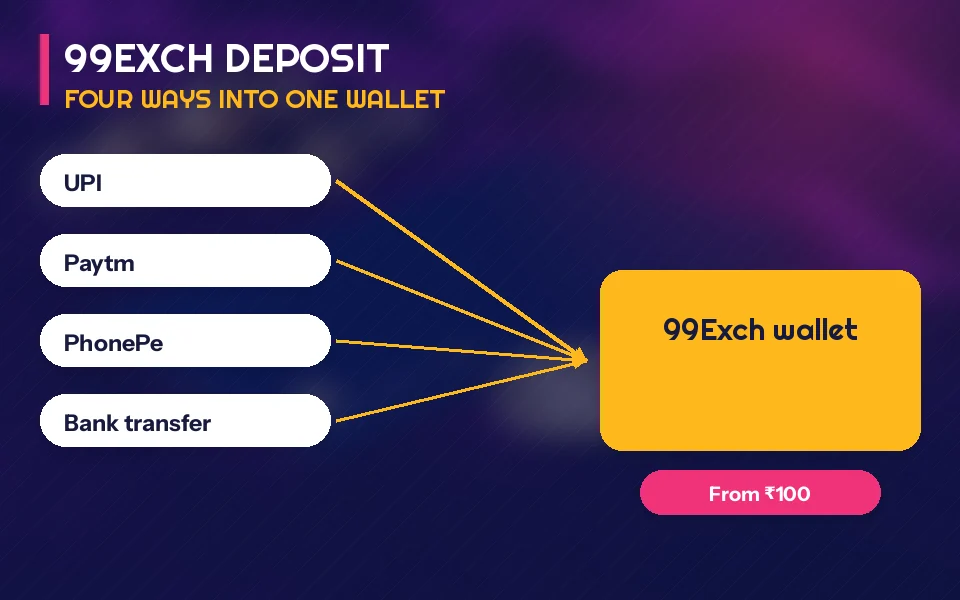
To fund a 99Exch wallet, sign in, open the deposit section, pick UPI, Paytm, PhonePe or bank transfer and send ₹100 or more. Credit normally shows within minutes. When it does not, the UTR from your payment app is the single detail the 99Exch Deposit Issue desk needs to find your money.

Four ways in. Each one starts at ₹100, and each lands in the same 99Exch balance that cricket sessions, kabaddi lines and casino rooms draw from.
| Method | What you pay from | Lowest amount | Proof to save |
|---|---|---|---|
| UPI | Any UPI app tied to your bank account | ₹100 | UTR shown on the success screen |
| Paytm | Paytm UPI or the Paytm wallet | ₹100 | Transaction ID from Paytm history |
| PhonePe | PhonePe UPI linked to your bank | ₹100 | UTR under the payment in History |
| Bank transfer | Net banking (IMPS or NEFT) | ₹100 | Reference number on the transfer receipt |
Most people pick UPI, and with good reason: approve the payment, copy the reference, go back to 99Exch. Paytm and PhonePe are really UPI apps wearing their own clothes (Paytm also keeps a wallet balance of its own), so the only thing that changes between them is where the proof hides afterwards.
Bank transfer is the slow lane. It is useful when your UPI app has hit its daily cap on a busy match day, but it passes through more hands, so give it more time before you chase a 99Exch deposit that went by IMPS or NEFT.
People also search
The whole 99Exch deposit, start to finish:
- Get into your account first. A top-up is tied to one user name, so the 99Exch login screen comes before anything else.
- Open the deposit section from your account menu.
- Choose UPI, Paytm, PhonePe or bank transfer.
- Type the amount. ₹100 is the floor; a smaller figure sits under the minimum and will not be accepted.
- Pay from your app, then copy the UTR or transaction ID before you close it.
- Submit it. Then refresh 99Exch and check whether the wallet figure has changed.
Step five is the one people skip. They pay, the app shows a tick, they switch straight back to the match. Then the wallet still reads zero and there is nothing to quote to anyone.
Someone testing the flow with ₹100 and someone sending a much larger bank transfer go through exactly the same six steps; only the proof looks different. A first top-up of a certain size also carries extra credit, and the size and percentage are set out in the 99 Exch first-deposit bonus rules rather than here.
99Exch Deposit and Withdrawal Basics, in Clear Rows
What a 99exch deposit needs before the wallet moves
A 99exch deposit needs three things: a signed-in account, a payment of at least ₹100 through one of the four methods, and the reference number from that payment. Without the reference, the desk has nothing to match against the bank entry, so keep it until the 99Exch balance has changed.
| Question | Short answer |
|---|---|
| Lowest top-up | ₹100 on every method |
| Methods accepted | UPI, Paytm, PhonePe, bank transfer |
| Proof to keep | UTR or transaction ID, plus a screenshot |
| Credit missing | Deposit Issue desk on WhatsApp, open 24/7 |
| Taking money out | Covered on the My99Exch page |
Paytm users sometimes ask whether the wallet route behaves differently from Paytm UPI. On the 99Exch side it does not; both arrive as a payment with a transaction ID.
Where 99exch withdrawal fits next to the top-up you just made
A 99exch withdrawal comes out of the same balance your deposit went into, with its own minimum and its own timings, all listed on the My99Exch withdrawal steps page.
- Deposit Issue desk
- Handles top-ups that left your bank but have not reached 99Exch.
- Withdrawal desk
- A separate WhatsApp line, so payout questions do not queue behind deposit ones.
Late credit has a short list of causes. In practice it is almost always one of these:
- Amount under ₹100
- The deposit sits below the 99Exch minimum. Pay again at ₹100 or above.
- UTR never sent
- The money left your bank, but nothing ties it to your user name yet. Send the reference.
- Bank transfer
- Still moving between banks. Wait a little longer than you would for UPI, then ask.
- Paid twice
- It happens when a payment screen hangs. Send both references together so the desk sees the full picture.
A familiar evening, roughly: PhonePe says the payment went through, the toss is done, and the 99Exch wallet still shows nothing. Panic. The fix turns out to be dull: the UTR had never been sent, and once it was pasted into the chat the amount showed up. Most late deposits end like that.
Five minutes gone and the balance has not moved? Keep the receipt image and the UTR together and post them to the Deposit Issue line, whose digits sit on the 99Exch WhatsApp number page.
99Exch Deposit Questions, Answered Quick

What is the 99Exch minimum deposit?
The 99Exch minimum deposit is ₹100, and that floor is the same for UPI, Paytm, PhonePe and bank transfer. Anything smaller sits below the limit, so start at ₹100 if you only want to test how quickly the wallet updates. Larger top-ups follow exactly the same steps.
How do I deposit money in 99Exch?
Sign in, open the deposit section, choose UPI, Paytm, PhonePe or bank transfer, and enter at least ₹100. Pay from your app, copy the UTR or transaction ID, then submit it. The 99Exch balance usually reflects the payment within minutes of that submission.
Why is my 99Exch deposit not credited?
Usually the payment went through but its reference never reached the desk. Take a screenshot of the payment, copy the UTR and send both to the Deposit Issue desk on WhatsApp, which runs 24/7. The desk matches it against the bank entry and adds the amount to your 99Exch wallet.